Script to video with AI Paste a script. Get the finished video.
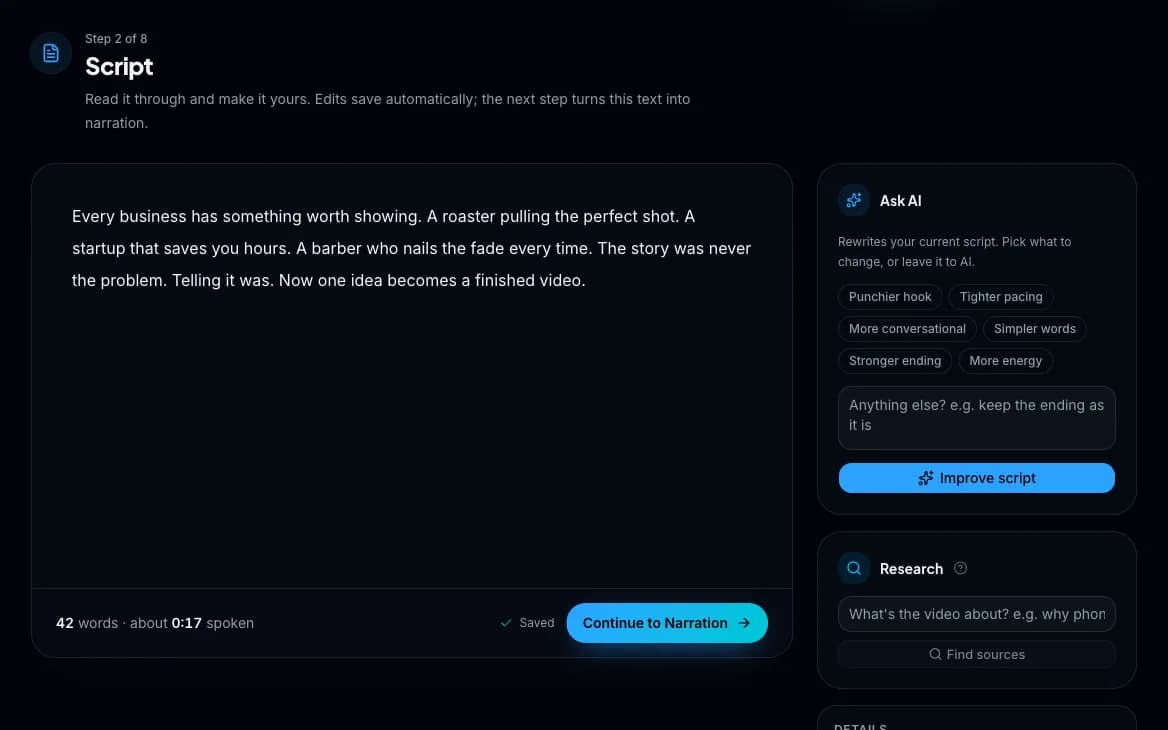
What happens to your script.
Voiced
An ElevenLabs voice reads it at Value or Studio quality, or you record it yourself. Every word's moment in the audio is kept.
Cut
The voiceover is cut into scenes on its real timing, each as long as its words. Your text is never changed.
Planned
Each scene gets a type with a one-line reason, and its picture prompt and stock search terms are written from its words.
Filled
AI video, AI images, animated graphics, free stock or your own files, made in one press once you finalize the storyboard.
Finished
Captions on every word, callouts on the words they belong to, a mood track under the voice, sound on the cuts, then the render.
Published
A title, description, tags and thumbnail written from the script, posted to YouTube now or on a schedule, or to TikTok.
Long scripts welcome.
- How long
- Up to 300,000 characters, about five hours of narration, and up to 300 scenes.
- Your words
- Never changed. Ask AI can tighten the hook or the pacing if you want it to, and every rewrite can be undone.
- Writing credits
- None for the script itself. The scene plan, prompts and callouts are still written for it.
- An example
- A 10-minute video from your own script, voiced and filled with the recommended mix, uses about 3,644 credits.
Price your own on the price explorer, or see how each step works on How it works.
Questions about scripts
Can I use my own script, footage and music?
Yes. Paste your own script, upload clips or photos to any scene (or drop a folder and they land one per scene), and upload your own music and logo.
Can Wyrlo turn an article into a video?
Partly. Paste an article's text as your script and Wyrlo AI voices it, cuts it into scenes and fills them. A scene can also show a Wikipedia article, an article from a link or your own screenshot, with the passage highlighted as the voice reads it. Turning a link straight into a finished video in one step is coming soon.
How long can a video be?
Wyrlo AI makes YouTube Shorts from 15 seconds to 3 minutes and long-form videos up to 2 hours, with scripts it writes itself. A script you paste in can be longer, up to 300,000 characters and 300 scenes.
Do I need to show my face or record my voice?
No. An AI voice from the ElevenLabs library narrates the video, or you can record your own voice in the app if you want to. The visuals are AI video, AI images, animated graphics, stock footage or your own media. Wyrlo is built for faceless channels.
Can Wyrlo make the whole video for me?
Yes. Type a topic or paste a script and press Make it for me: Wyrlo AI researches, writes the script, records the voiceover, cuts it into scenes and plans what fills each one, then stops once at the storyboard to show you the scenes and their price. Press Make it and it makes every scene and renders the video. You can skip that stop for videos under an amount you set, and get an email when the storyboard or the video is ready. It never publishes without you.
Turn your next script into a video.
Create an account, confirm your email and you're in. You'll see the price of every video before you make it.